Design and promote event
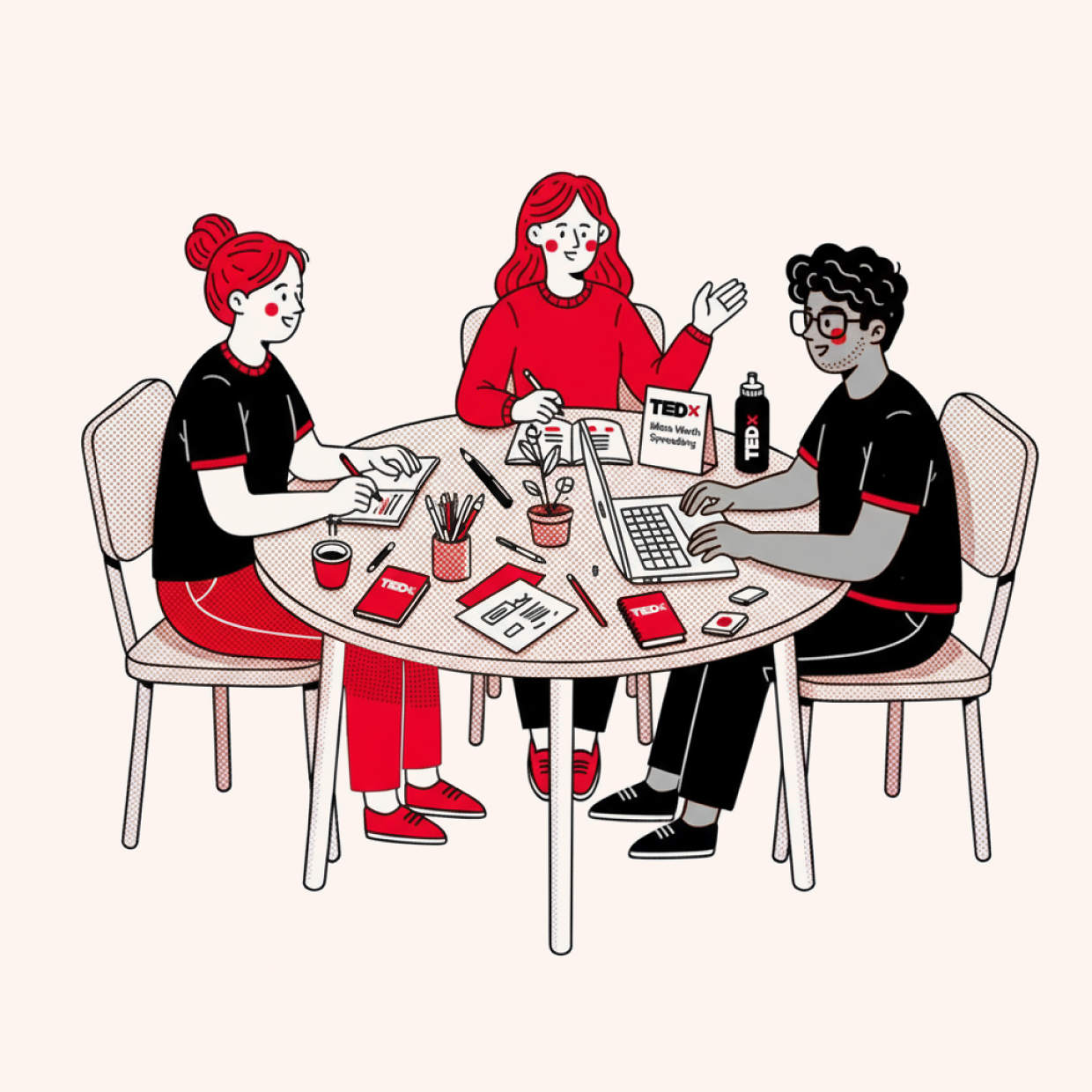
Your logo and visual design are a key part of how attendees connect with your event’s story, so creating a consistent and appealing aesthetic is key.
Make it easy for your community to learn about your event online.

Maximize your event’s impact by getting the word out and sparking conversations creatively.
Logo and visual design
Your TEDx logo is a core part of your event’s identity. Learn how to create and use it.
Creating your TEDx logo
Your logo is an essential part of your unique TEDx event. You must include the logo in all of your branded materials, so follow these guidelines to make sure you get it right!
1. Use the TEDx Logo Generator
The TEDx Logo Generator is the recommended starting point for creating your event logo. It automatically generates a draft logo in the correct format based on your licensed event name.
To create your logo:
- Enter your event name exactly as licensed, including spaces between words. Do not abbreviate your event name.
- Select any applicable event type modifiers
- Download the generated logo files
The Logo Generator makes it easy for you to get the wording, spacing, and structure right.
2. Create final logo files
- The logo files generated through the tool are intended as a draft. To create finished, high-resolution .eps files for print and other uses, adapt the appropriate template provided in the official logo templates (files provided below).
- Open the relevant template
- Apply your event name following the provided format
- These templates are designed to align with TEDx logo specifications and should be used for final production files.
Logo Generator
TEDx Logo Templates
TEDx Logo Guidelines
The TEDx logo guidelines accommodate the growing range of TEDx events.
Overview
- The information below reflects the most up-to-date changes that went into effect in 2023 (and are optional for organizers licensed before 2023). Learn more about what changed.
- Teams are no longer required to include the tagline "x=independently organized TED event" in event logos.
- You’ll use your TEDx logo throughout every part of your event: on your website(s), social media, and all event communications, materials and signs.
- The TEDx logo is different from the TED logo, as it contains the “x” at the end as well as the unique location-based name of your event.
Design and variations
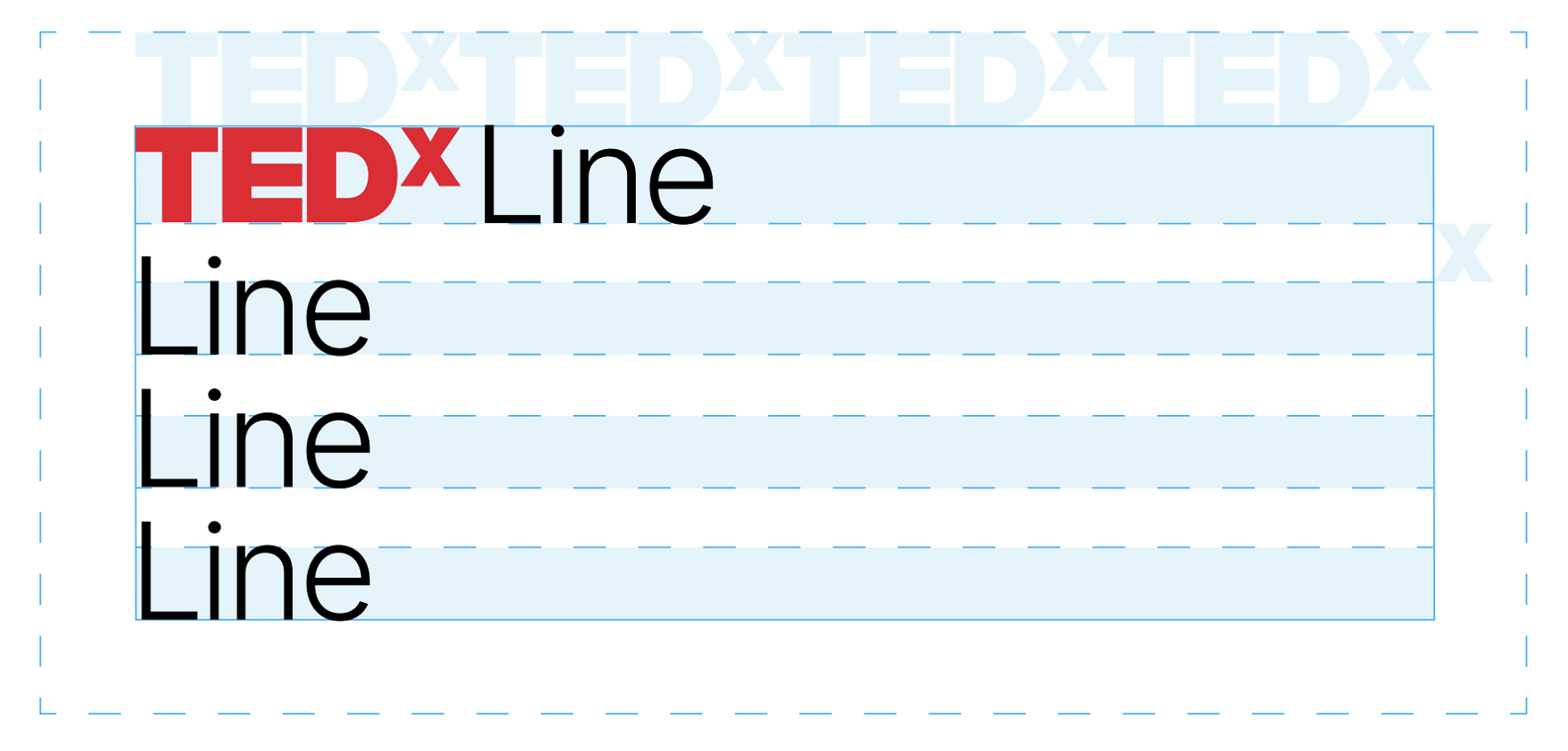
- The formula: TEDx + Your Unique Event Name + when applicable, the event type modifier.
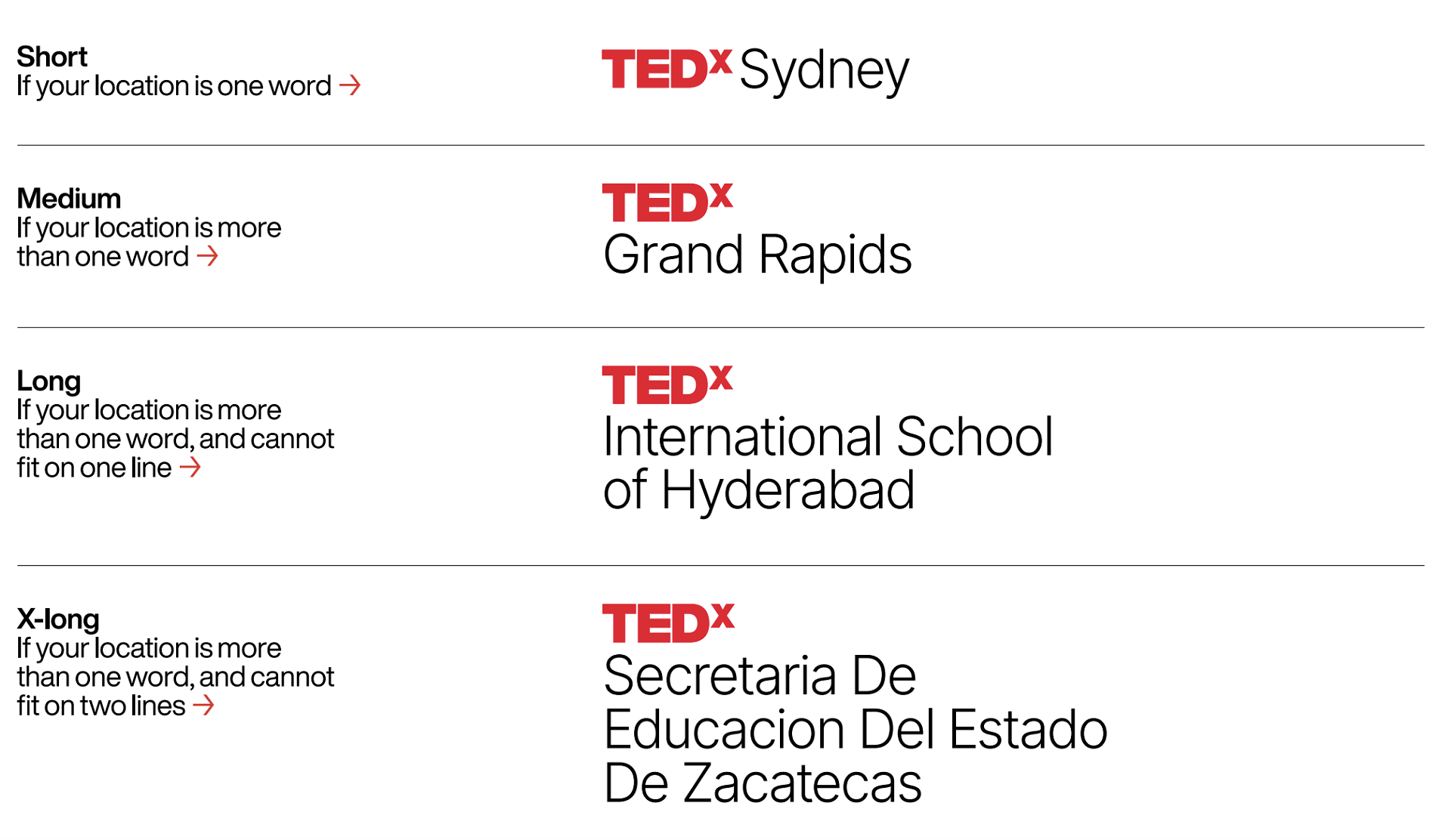
- For events with a one-word location name: TEDx and the location name are always written as a single word.
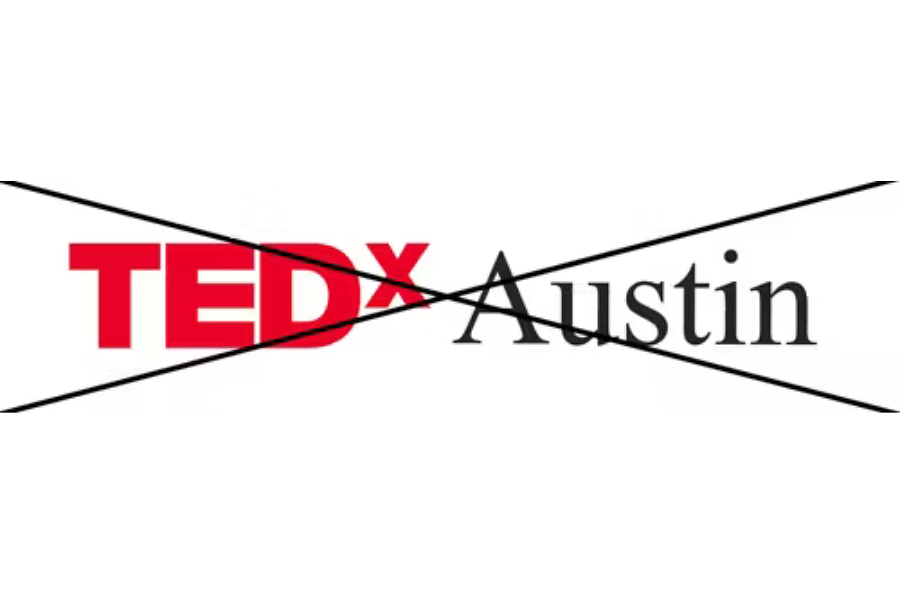
- For location names that are more than one word: the entire location name drops down to the following line(s). Include spaces between each word. Reference the examples below. When in doubt, use the Logo Generator!
- Your logo can be a maximum of four lines.
- The maximum width for each line is equal to roughly four “TEDx”s written side by side, or about 22 characters.
- When you must write your event name in text rather than logo form (e.g. in an email or a social media caption, your YouTube channel name): write TEDx and the first name of the location name as one word, then include spaces between the remaining words.
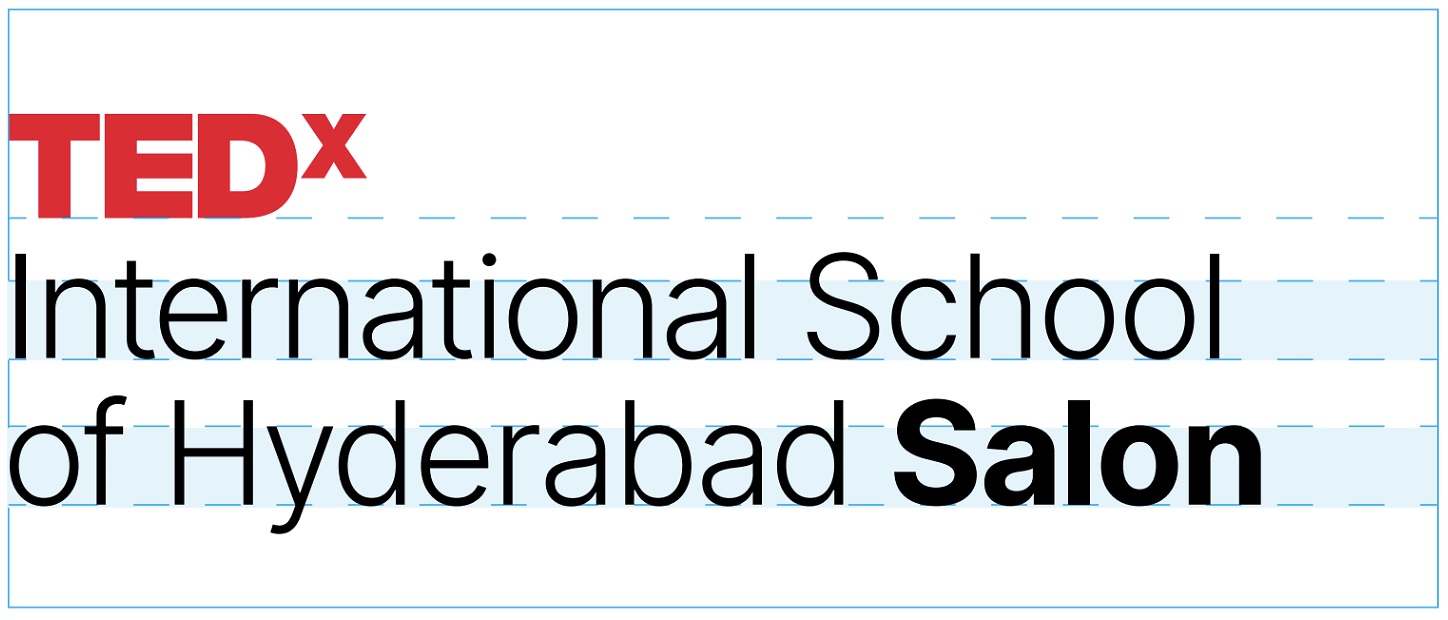
Modifiers for special event types (Women, Youth, Salon, Studio) are included in bold.
Technical Specifications
- Font: Use the typeface Inter — it's TED's standard and an integral part of our visual identity, plus it's open source and easy to access globally. You can find it linked for download on your local device. If you previously used Helvetica, you may continue using it or update to Inter.
- Alignment: The name of your event should always align left in relation to the "TEDx" part of the logo, and should be sized to be exactly the same height as the "TEDx" part of the logo. Tracking in the TEDx logo templates is set to 0. Do not adjust this setting.
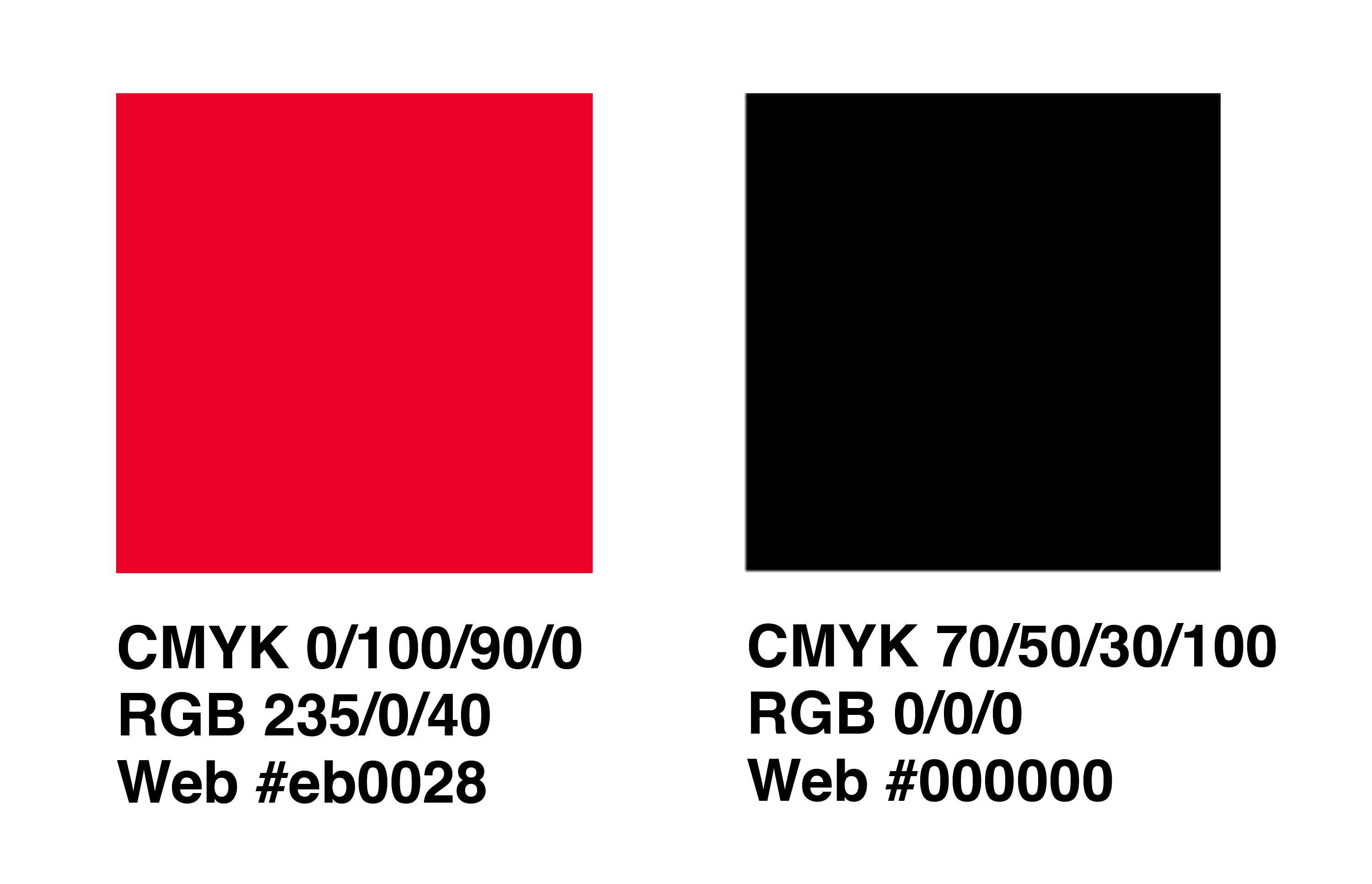
- Color: your TEDx event's logo should always include a red (#EB0028) "TEDx" and either black or white text for the other words. Specifications on reproducing TED red are in the next section.
Reproducing TED Red
- Offset printing with Pantone inks: When possible, a spot color should be used for your logo — this is the best way to reproduce TED red (Pantone 185).
- Offset printing with 4-color process inks: If specifying a spot color is not possible, the 4-color process (CMYK) method of printing may be used to print your TEDx event's logo. 4-color process printing is acceptable, although it is not the preferable way to reproduce the logo. In 4-color process printing the TED red color will only be simulated.
- Desktop printing: Sometimes it is more appropriate to produce branded publications and other communications using a digital process — such as printing from a computer directly to a desktop laser or ink-jet printer. Local settings and calibrations should be used to determine the best color specifications for your particular printer.
- Onscreen/web: When your TEDx event's logo is reproduced onscreen in slide presentations, in video, or online, RGB or web color logos should be used. Onscreen applications use RGB (red/green/blue) values to simulate color. On the web, hex values are used to specify color. Each of these specifications is shown below.
Note: Due to the manner in which color is represented on-screen, the colors shown here may not accurately represent the true TEDx colors. Therefore, do not use the colors shown here (or a printed version of this page) for color matching. Instead, always refer to the color specifications and visually match the specified colors accurately using Pantone Color Standards.
The colors shown throughout these guidelines have not been evaluated by Pantone Inc. for accuracy and may not match the Pantone Color Standards.
Tip
Even though you may be offset printing a publication using a 4-color process, we highly recommend using an additional spot color (Pantone 185) for the logo.
Tagline
We no longer require teams to include the TEDx tagline “x=independently organized TED event” in the logo. Teams must still use their event’s full name: “TEDx[Event Name],” not “TEDx” or “TED” alone, in all of their communications.
Logos and place names
Your specific TEDx logo will contain your full location name. Longer names can continue to the next line, for a maximum of four lines.
Background color
Only use a solid white or black background.
Clear space
To ensure that your TEDx event logo is presented in the best possible manner, a minimum buffer zone of clear space should always be maintained around its perimeter. Keep other logos, graphics or copy out of this zone. (Logos may not be "locked up" with any other logos or images. Other logos cannot appear as if they are a part of your TEDx event logo.)
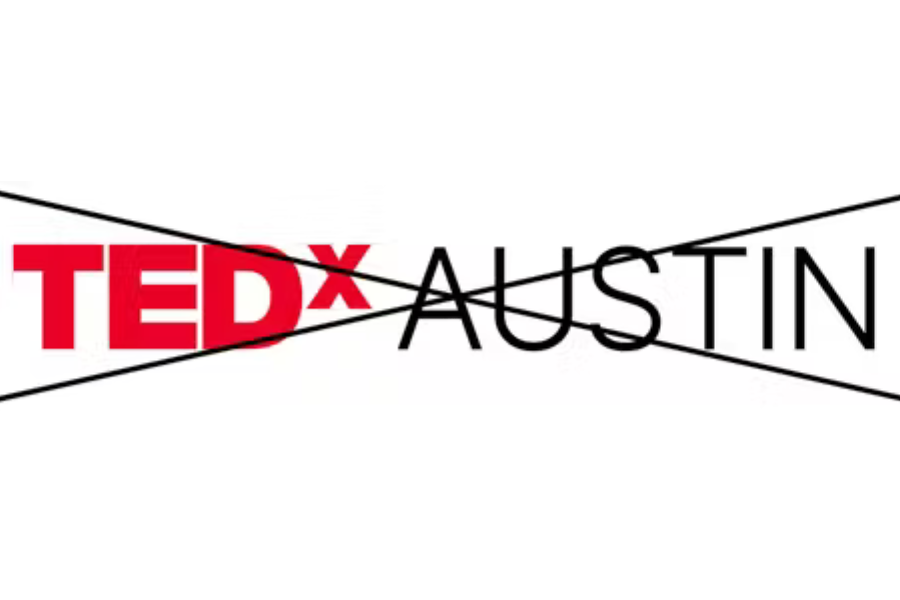
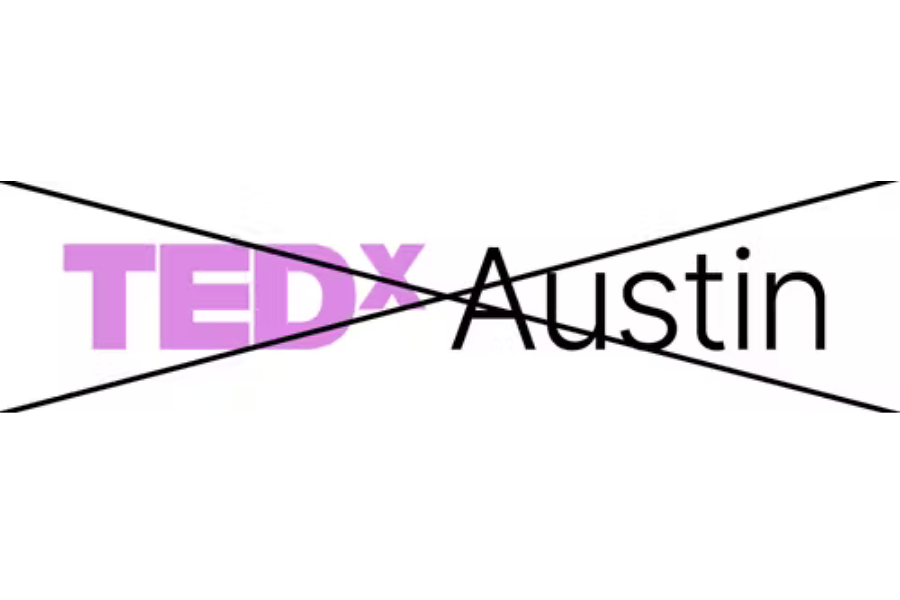
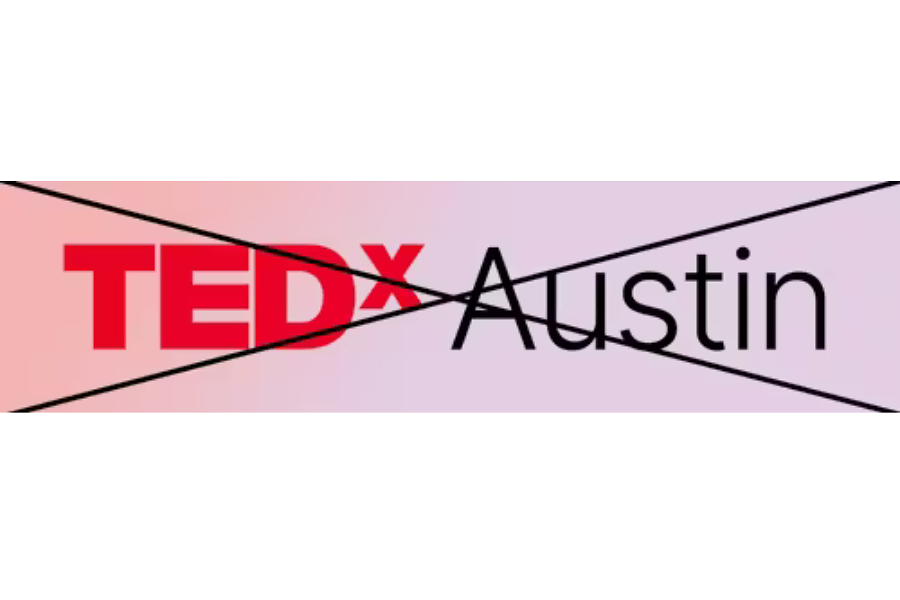
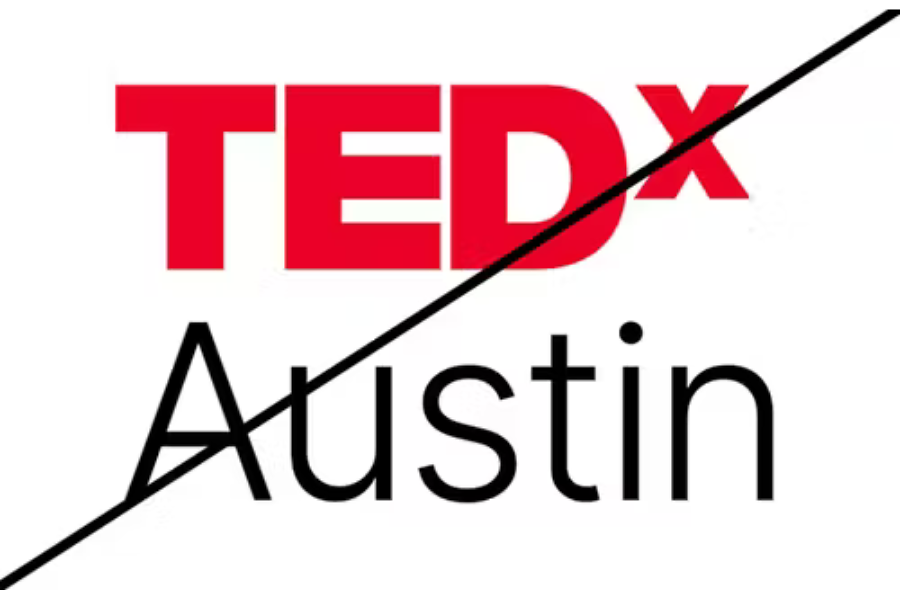
What to avoid:
Online presence
Make it easy for your community to learn about your event online and tell your event’s story with creativity.
Your event page
You’re required to keep your event page updated with your online channels and the latest information about your event.
How to access your event page
- Sign in to your member account on TED.com and click on your profile image at the top right corner of the page.
- Click on "TEDx Events" from the dropdown menu, and you'll see an option to navigate to your TEDx Event Manager.
- Click on the link to your Event Manager to access your event page editor.
Required fields
As soon as the information becomes available, it's important that you update your event information with each of these items:
- Your event date
- Event duration
- Venue location
- Ticket price
- Webcast URL (if you plan on providing a webcast)
- Speakers and bios
- General information about your event description and theme
- Your event website
- Social media profiles
Note: You will first have to add your event date, duration, and venue location to your event page, before you can upload your videos with the TED Media Uploader tool, add team members, or make any other change to your event page.
Regular updates
It's very important that you keep the general public and TED aware of any changes about your event.
Date changes
Our system will allow you to change the date of your event after your license has been approved. If you want to change your event's date, follow these steps:
- Go to the world map of TEDx events and review other TEDx events happening in your region/local area.
- If your date change could affect another TEDx event – i.e. if it is within the same 4-8 week period and close enough in proximity that your audiences might overlap – reach out to the other TEDx organizer and discuss.
- Once you have settled on a new date and confirmed it's acceptable to other organizers in your region, change it on your event page.
- If your event is unable to take place and needs to be canceled, please reach out to us at tedxapplications@ted.com. Our team will remove your event from the TEDx Event map — we understand that sometimes things don’t go to plan; a cancellation will not have a negative impact on a future event.
Livestream
- If you're planning on providing a livestream of your event, it's important to tell your local community! Make sure you fill in the "Webcast URL" field once you have the link. If you know you'll be streaming but don't have the stream link yet, enter your event website or a different page where you'll add the info.
After your event
Remember to add highlights to your event page.
- Upload a new photo from your event
- Add a YouTube playlist of videos from your event
- Add a link to your Flickr album
- Make sure your speaker list is up to date
Tips
Filling out your event page is mandatory. You'll need to fill out as much information as you can after your license has been approved.
Your website
We encourage all TEDx organizers to create an official website for their event. This will serve as an online hub for event info, updates, videos, and more.
Get your domain name
You aren't required to purchase a domain name, but we strongly encourage it, since it will make your site more searchable. Whether you decide to buy web hosting from a paid service, or opt for a free hosting account, is up to you.
The URL of your website's homepage should be the name of your TEDx event (e.g., TEDxTokyo.com, TEDxNYU.com). The .com top-level domain should be your first choice, followed by the top-level domain of your country (e.g., .pl for Poland). .org and .net should be your next choices.
License and domain ownership
When you purchase your domain name, you can keep the domain name as long as you are the licensee for that event.
Keep a record of your domain and social media accounts' information. If you decide not to renew your TEDx license after your event, or TED does not renew your license, you must transfer ownership of your TEDx domain name (and digital properties) either back to your domain registrar (or web hosting service), or to the next TEDx licensee of the series.
Note: TED is not liable for expenses incurred during the purchase, transfer or re-sale of TEDx-related domain names.
Tip
Make sure you keep a record of your domain and login details for social media accounts.
Create your website
Here are the basics of creating your website:
Homepage
In addition to general info about your event, your site's homepage is required include the following:
- Language that describes TEDx with a link to the TEDx program:
- What is TEDx? In the spirit of discovering and spreading ideas, TED has created a program called TEDx. TEDx is a program of local, self-organized events that bring people together to share a TED-like experience. Our event is called TEDx[name], where x = independently organized TED event. At our TEDx[name] event, TED Talks video and live speakers will combine to spark deep discussion and connection in a small group. Speakers never pay to join a TEDx event. Consideration, speaker coaching and event participation along with attendance are all provided free of charge. The TED Conference provides general guidance for the TEDx program, but individual TEDx events, including ours, are self-organized.
- Text in the footer (at the bottom of the site) that states "This independent TEDx event is operated under license from TED."
About page
Create an About TED/About TEDx tab that includes the following text:
About TEDx, x = independently organized event
In the spirit of discovering and spreading ideas, TEDx is a program of local, self-organized events that bring people together to share a TED-like experience. At a TEDx event, TED Talks video and live speakers combine to spark deep discussion and connection. These local, self-organized events are branded TEDx, where x = independently organized TED event. The TED Conference provides general guidance for the TEDx program, but individual TEDx events are self-organized. (Subject to certain rules and regulations.)
About TED
TED is a nonprofit, nonpartisan organization dedicated to discovering, debating and spreading ideas that spark conversation, deepen understanding and drive meaningful change. Our organization is devoted to curiosity, reason, wonder and the pursuit of knowledge — without an agenda. We welcome people from every discipline and culture who seek a deeper understanding of the world and connection with others, and we invite everyone to engage with ideas and activate them in your community.
TED began in 1984 as a conference where Technology, Entertainment and Design converged, but today it spans a multitude of worldwide communities and initiatives exploring everything from science and business to education, arts and global issues. In addition to the TED Talks curated from our annual conferences and published on TED.com, we produce original podcasts, short video series, animated educational lessons (TED-Ed) and TV programs that are translated into more than 100 languages and distributed via partnerships around the world. Each year, thousands of independently run TEDx events. Through the Audacious Project, TED has helped catalyze $6.6 billion in funding for projects that support bold solutions to the world's most urgent challenges — working to make the world more beautiful, sustainable and just. In 2020, TED launched Countdown, an initiative to accelerate solutions to the climate crisis and mobilize a movement for a net-zero future, and in 2023 TED launched TED Democracy to spark a new kind of conversation focused on realistic pathways towards a more vibrant and equitable future. View a full list of TED’s many programs and initiatives.
Website content
Include general information about your event, including:
- The event name, date and theme
- The event venue and city
- Names and backgrounds of core team members
- A list of the local speakers and performers
- The session schedule (when it’s available)
- A separate page thanking sponsors (Sponsors can't be thanked on the homepage)
- You’ll also want to integrate other fun elements, like links to the event’s social media accounts, a blog, an email sign up form, and other promotional items we’ll talk about in the following pages.
Rule reminders
You may only own the domain name that corresponds to your own event; you may not register domain names corresponding to other TEDx events without permission from TED.
Tip
You want your website to be visual, fresh, exciting, and accessible. Make sure your designer uses the same color palettes and tone as your TEDx event logo and other promotional materials.
Instagram continues to be an all-in-one platform to promote your event, connect with your audience, and share the magic of your TEDx events with a global audience.
Build anticipation by sharing updates leading up to event day, including behind-the-scenes moments about the planning process. During your event, share highlights live through Stories. Afterwards, share videos and photos of your stage, audience, and experiences.
LinkedIn is a ready-made platform for your event’s ideas and a great place for your team to connect with potential speakers, volunteers, and audiences. Promote your event, share talk snippets, and engage with your speakers.
Facebook is another great channel to promote your event. Many people continue to use the platform, even as newer platforms are growing rapidly.
Create your account
- First things first! Choose which platforms you want to engage on - different platforms will help you reach different audiences. When you create an account, use your TEDx event name as your handle (e.g., @TEDx[Event Name]). Add a bio that introduces people to your event - assume that they may not be familiar with TEDx events. Include your location.
- For more on naming your event's social accounts, refer to the TEDx Rules.
Build a following
- Invite your friends and event guests to follow your accounts and engage with your content. Consistency is key on social media — try picking a few content styles, and set regular days and times when you’ll post.
- Follow other TEDx events’ accounts. This is a great way to build your audience and connect with the internal community while finding inspiration to boot. Engage with their content by liking, commenting and sharing.
- Remember to promote your accounts in all your communications - add account links to your website, emails, and event programs.
Maximize photos and videos
Short-form video and eye-catching photos will help your account stand out in the sea of content. Before the event, introduce your event’s theme and ideas, venues, speakers, and experiences with engaging visuals. After your event, share photos and videos to relive the big day. You’ll also use these images to promote your next event.
Learn more about creating short-form video below.
Troubleshooting account challenges
If your team’s Instagram or Facebook account is blocked, reach out to tedx@ted.com. If the issue can't be resolved, we recommend seeking alternate platforms or creating a new account with an alternate version of your event name by using underscores, hyphens or periods.
Please contact our team to work out the alternate name, so that it doesn’t overlap with another team’s.
Create short-form talk clips
You’ll be able to engage a wider audience with short-form videos that highlight digestible takeaways and notable moments from your speakers' talks.
Overview
Once your event’s talks are published on the TEDx YouTube channel, your team and speakers can create TEDx talk clips of up to 60 seconds long as Instagram Reels, TikToks, YouTube Shorts, and other short video platforms. Experiment, experiment, experiment!
- Continue to shorten your stage talks (we find that 8-10 minutes is a sweet spot).
- While you’re curating, keep in mind that you’ll want to be able to promote a talk’s core idea in 60 seconds or less.
- Play with a range of clips from your talks. Check out these examples that have performed especially well on the TEDx Instagram and TED’s TikTok. (Shoutout to TEDxUCSD, TEDxByron Bay Women, TEDxOslo Met!).
- When you post, tag the official TEDx account on the respective platform so we can celebrate your work.
- You can also share TEDx talk clips from events other than your own.
- Please note that 60-second TEDx talk clips are permitted for non-commercial, social media use only. Those who wish to feature clips that are longer than 30 seconds for different uses must obtain permissions from the TED distribution team.
Releasing your accounts
If you decide not to renew your TEDx license, or TED does not renew your license, you must transfer administrative control and ownership of the social media accounts and pages related to your event to the next TEDx licensee of the series.
Promotion and press
As a TEDx organizer, you’re trusted with furthering TED's mission of bringing great ideas to the world for free. Here are some of the most useful strategies to get out the word about your event.
Promotion and press
An important note: To avoid confusion with the TED brand, it is incredibly important to us that you make clear that your event is a TEDx event, and is independently organized. Make sure to follow the rules on this page and under TEDx rules in all of your promotional materials.
Use social media
Get started with our guidelines above to spread the word to your community and get your attendees excited! It’s helpful to bring in someone with experience to be your storyteller, but don’t be afraid to experiment with your team.
Email updates
You should be sending regular email updates to your attendees. It’s the most direct way of sharing key information, changes and reminders.
Press
Engage local press with a press release.
All press and press releases must be routed through for approval by the TEDx program's media liaison, Melody Serafino at tedxpr@ted.com. Press releases must contain the "About TED" and "About TEDx" text as well as:
- Your event's name (e.g., TEDxAustin, TEDxDubai)
- Location (be specific!)
- Date and time
- Whether your event is public or private. (And if it’s public, how can people participate?)
- List of speakers
- Your event’s theme
- Website and/or social media accounts
- Live webcast URL (if applicable)
- Your contact information
- The following paragraph:
- About TEDx, x = independently organized event In the spirit of ideas worth spreading, TEDx is a program of local, self-organized events that bring people together to share a TED-like experience. At a TEDx event, TED Talks video and live speakers combine to spark deep discussion and connection. These local, self-organized events are branded TEDx, where x = independently organized TED event. The TED Conference provides general guidance for the TEDx program, but individual TEDx events are self-organized. (Subject to certain rules and regulations.)
- The following copy:
- About TED TED is a nonprofit, nonpartisan organization dedicated to discovering, debating and spreading ideas that spark conversation, deepen understanding and drive meaningful change. Our organization is devoted to curiosity, reason, wonder and the pursuit of knowledge — without an agenda. We welcome people from every discipline and culture who seek a deeper understanding of the world and connection with others, and we invite everyone to engage with ideas and activate them in your community.
- TED began in 1984 as a conference where Technology, Entertainment and Design converged, but today it spans a multitude of worldwide communities and initiatives exploring everything from science and business to education, arts and global issues. In addition to the TED Talks curated from our annual conferences and published on TED.com, we produce original podcasts, short video series, animated educational lessons (TED-Ed) and TV programs that are translated into more than 100 languages and distributed via partnerships around the world. Each year, thousands of independently run TEDx events bring people together to share ideas and bridge divides in communities on every continent. Through the Audacious Project, TED has helped catalyze more than $3 billion in funding for projects that seek to make the world more beautiful, sustainable and just. In 2020, TED launched Countdown, an initiative to accelerate solutions to the climate crisis and mobilize a movement for a net-zero future, and in 2023 TED launched TED Democracy to spark a new kind of conversation focused on realistic pathways towards a more vibrant and equitable future. View a full list of TED’s many programs and initiatives.
- Follow TED on Facebook, Instagram, LinkedIn, TikTok, and X.
- Due to the large number of events, TED does not provide quotes for individual press releases. You’re required to read the TEDx Press Guidelines in order to submit a press release.
Create a trailer video
- Creating a trailer or “teaser” for your TEDx event is a creative and dynamic way to get people intrigued in your event. Check out this compilation of TEDx teaser videos.
TEDx Press Release example

Optimize talks for views
Once you've edited your talks, you'll submit them to be published on the TEDx YouTube channel. Here are some tips on packaging your talks for YouTube’s ecosystem:
Design an eye-catching thumbnail
- Create a visual narrative. A strong thumbnail should instantly communicate what the video is about — even without reading the title.
- Use faces with emotion. Strong, readable emotions (surprise, excitement, confusion, fear, joy) perform better. Eye contact with the camera builds connection.
- Create contrast and visual pop. Use contrast, colors, and clean design to make your thumbnail stand out on a crowded page. Avoid overly busy images or text-heavy designs.
- Use bold, minimal text. If you add text, keep it short and readable. Use bold fonts and large sizing for mobile readability.
- Keep a clean composition. Keep the focus on one clear subject or focal point. Blur or darken the background if needed to draw attention to the main element. Don’t overload elements.
- Use the right dimensions. Thumbnail image files should be 1920x1080 — reference our template below.

Write creative headlines
Every talk should have a headline that expresses its complex ideas in a simple way. Here are a few ways to get the most out of your title:
- Be specific. For example, “The power of song”? No. “A song that flies you to Machu Picchu, 1496”? Yes!
- Use words that someone looking for a talk on the topic would enter in their search engine.
- Be clear rather than clever. Choose short words over long ones. Clarity wins on YouTube.
- Use strong, interesting verbs (visualize, learn), not forms of "be" (is, am, were).
- Avoid generic adjectives (ex. awesome, great), but if there's a focused and interesting adjective (scary, slimy), use it!
- Wit is welcome (when appropriate).
- Ask yourself, “What title would make me want to click on this?"
Write detailed descriptions
In the description field, start with 2-3 sentences that detail the content of the talk. Some tips:
- Don’t give everything away – just enough to intrigue the viewer.
- Your first sentence should “hook” the viewer. Statistics, facts, and questions work well.
- If the talk is full of charts and graphs, say that.
- If it's full of beautiful photos, say that.
- If it has graphic images, say that.
- If it's emotional, say that.
- If it's a personal story, say that.
- If there's a surprising ending, say that (but not what it is!)
Write good bios
Below the description of the talk, include a short 4-7 sentence biography of the speaker. Answer the question that the viewer may be asking themselves, “Why should I trust this person?"
Promote your talks
Here are some ways to promote your videos once they’re published on YouTube.
Get personal
Write personal messages to everyone in your network challenging them to bring in views, and provide a few simple and clear steps. Ask them to share their talk on their social platforms and share directly with friends — some speakers have attracted hundreds of thousands of views simply by writing to people in their networks.
We recommend just doing this for the talks that you truly love – you want to make sure to balance your “asks.”
Target your audience
There are several ways to target the right people who will spread the word, but here are a few to get you started.
- Email bloggers and other online influencers who write about related topics, and have featured similar content before.
- Post the video onto a content sharing platform that might be interested in the talk, like a subreddit on Reddit.com.
- Email other TEDx fans and supporters. If they love TEDx, they’ll be more inclined to share your talk.
Time your promotions
Here at TED, our analysts have done extensive research into when people love to watch TED and TEDx Talks. Here are some findings to use when thinking about timing your promotions:
- People like to watch talks at work during lunch and in the evenings – not on the weekends.
- Release your talks on a Monday or Tuesday and send your promotions out at the time of day you think that more people will open them. If you’re unsure, experiment with times and see what works!
- If a talk has content that relates to a holiday or a certain time of year, give it a good push when the time comes.
FAQs
How can I create my TEDx logo?
You can use the TEDx Logo Generator to automatically design a draft of your event logo in the proper format. Simply type in your event name exactly as licensed (with spaces between the words), choose any relevant event types, and download the files.
The Logo Generator creates logos best suited for online use. To create finished high-res files for print, use these templates.
More questions? Ask TEDxAssist!
Can I abbreviate or shorten my event name/TEDx logo?
No, you must always use your full TEDx event name as it appears on your approved license.
More questions? Ask TEDxAssist!
Am I required to have my TEDx name physically displayed on my stage?
No, physical 3D letters aren’t required. You can use a 2D sign or projection instead. The key requirement is that your full licensed event name is clearly and prominently visible on stage.
Many teams create their own letters, partner with local schools or universities, or purchase them. Choose an approach that fits your budget, stage size and overall design. For more guidance, see the Design the Experience section of the TEDx Organizer Guide.
More questions? Ask TEDxAssist!
How do I change my event date?
You can change your event date on your TEDx event manager on TED.com, click ‘Edit event details’ on the event you would like to change and adjust both the ‘To’ and the ‘From’ date fields.
Please note that if the venue and time details have not yet been filled out then you will need to add those details in order to save your date change information. Your date change will not be saved if your time is left at the default “12:00 AM” or if your venue details are blank. Additionally, your information will not be saved if the event is more than one day.
Please check the TEDx event map before selecting your new date to ensure that it does not conflict with any scheduled events nearby.
If you would like to change your event to a date outside of your license term, please contact us here.
If you cannot locate your event page in your TEDx event manager, please let us know.
More questions? Ask TEDxAssist!
How can I add team members to my event page?
First, make sure that your team members have a TED.com profile - that profile will need to include a profile photo and the profile visibility settings must be saved as “Everyone who visits TED.”
When you’re sure your team members have profiles that meet this criteria, navigate to your TEDx event manager on TED.com, click “Edit event details” on the event you would like to add your team members to, click the “Manage your team”* option on the left hand navigation, search for your team member’s name in the search bar, and select their name when it appears in the dropdown menu, choose the role that most closely represents their position on your team and you’re done!
If your team member cannot be found and you have confirmed that they have a TED.com profile with a photo and the correct visibility settings please reach out to us here so we can confirm there are no technical issues impacting the profile.
*Please note that in order to access the ‘Manage your team’ section you will first need to fill out the date, time, and venue details of your event. If the date and time details have not been updated, and the venue information is blank, you will not be able to access the other elements of your event page.
More questions? Ask TEDxAssist!
Can we share clips of our TEDx talks on our social media?
TEDx team members and TEDx speakers can use up to a 60-second excerpt from their TEDx talk for non-commercial, social media use only. These clips must tag the official TEDx account on the respective platform. Find the list of our handles here.
For commercial video or audio content, including documentaries, promo videos, TV segments, and podcasts, you can share up to a 30-second excerpt from a TEDx talk with the media. This 30-second clip must be a complete excerpt, so you can't edit or mix together different pieces of the talk.
To use TEDx content outside of the conditions listed above, please request use of a TEDx video from the TED distribution team here.
Please note that your videos must be uploaded in the Media Uploader and published to YouTube prior to using any clip. We discourage organizers from sending raw footage to speakers.
More questions? Ask TEDxAssist!
Can we be interviewed or issue a press release for our event?
Yes — you can participate in interviews and issue a press release for your event, but there are a few important guidelines to follow.
All press outreach, including press releases, must be reviewed and approved in advance by TED’s media liaison (tedxpr@ted.com). Your press release should include standard “About TED” and “About TEDx” language, along with key event details like your event name, date, location, speakers, and website. Please note that TED does not provide quotes for individual press releases.
For interviews, be sure to clearly describe your event as a TEDx event that is independently organized. It's important to avoid implying that "TED" is coming to your location or that your event is "organized by TED," "sponsored by TED," or an "official TED event". TED staff are the sole official spokespeople for TED and the TEDx program as a whole, and any journalist seeking comment from TED should be directed to tedxpr@ted.com
More questions? Ask TEDxAssist!
Can we create a podcast about our event?
No, organizers aren’t permitted to create podcasts using their TEDx event name, series, or content.
This format is currently being piloted with Legacy Tier organizers only and isn’t available to the broader community at this time.
More questions? Ask TEDxAssist!
Need more help? Visit help.ted.com
Film, photograph and stream
Social Media
Invest in your event's social presence to build anticipation for your event, reach attendees, and keep the discussion about your talks going beyond event day. Practice, experiment, adjust and repeat!